One Tap Button · $100 per project
A one-tap button, without the programming.
One Tap Button puts a lighting scene, the curtains, the thermostats, the media off, or all of them, on one Navigator button. Set it up from Properties in minutes. No programming tab, no variables, no icon files, and the button lights itself when the house is in that state.
Free for 30 days on every controller. No account needed to try.
 Movie Night
 Sheers drawn
 Comfort
 Home
Home
Four One Tap Buttons in one room; Movie Night is lit because the house is in it.
Every setting is a field on the driver's Properties page. Nothing to write, nothing to debug.
Scene, curtain, comfort, media-off and whole-house buttons come from the same driver; fill in only the sections a button needs.
The button reads the devices' own reports, so it is lit while the house is in that state and dark the moment it is not.
What it replaces
What a programmer would build in Composer for this, and what the driver does instead.
One driver, every one-tap button
Fill in only the sections a button needs. The same driver, installed once per button, covers all of these.
Scene button
Activate an Advanced Lighting scene, or turn every light in it off. In Toggle mode one button switches it on and off. Lit while the scene is on, from the agent's own events.
Curtain button
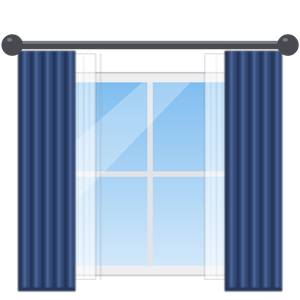
Blinds to open or closed on any Control4 blind driver, in up to five groups with a position each, so the sheers can open while the drapes close. Toggle mode sends them back on the next tap. Holds while the motors move.
Comfort button
Home, Away or Sleep on every thermostat, or only the ones you pick, in up to five groups with a preset each: the bedrooms to Sleep, the rest to Comfort. Lit while every preset is active.
Media-off button
The media off in every room, the room the button is in, or the rooms you tick, the way each room's Off button does: whatever is playing stops, the TV and receiver power down. Lit while those rooms are off.
House mode
Every section in one tap: Home, Away, Night, Vacation. Media off first, then lights, thermostats and blinds.
Seventy-two icons, one per button
Pick the picture in the Icon property: house modes, lights, every kind of curtain and blind, comfort, occasions, places, and the special days of the year. Each is drawn free-standing, the way Control4's own experience-button icons are: in color while the button's state is current, greyed when it is not.
 Home
Home
 Away
Away
 Night
Night
 Vacation
 Welcome
 Goodbye
 Work
Work
 Guest
Guest
 Bulb
Bulb
 All On
 All Off
 Daylight
 Path Light
 Cleaning
 Curtains
 Drapes
 Sheers
 Blackout
 Roller Up
 Roller Half
 Roller Down
 Venetian Blinds
 Vertical Blinds
 Shutters
 Shade
Shade
 Privacy
 Skylight
 Awning
 Window
 Thermostat
 Eco
Eco
 Fan
Fan
 Warm
Warm
 Sleep
Sleep
 Morning
 Evening
Movie
Evening
Movie
 Projector Screen
 Party
Party
 Dinner
 Relax
Relax
 Reading
 Cooking
 Games
Games
 Music
Music
 Bath
Bath
 Date Night
 Kids
Kids
 Outdoor
 Pool
Pool
 Garage
 Panic
Panic
 Baby
Baby
 Pets
Pets
 Holiday
 Hanukkah
 Kwanzaa
 Diwali
 Ramadan
 Eid
Eid
 Easter
 Shabbat
 Vesak
Vesak
 Halloween
 Thanksgiving
 Lunar New Year
 Holi
Holi
 New Year
 Valentine
 Birthday
 Anniversary
 National Day
In color: the state is current
National Day
In color: the state is current
 Greyed: it is not
Recipes
A few ways dealers set it up, with the Properties each one needs.
Movie Night
- Lighting
- "Movie" scene, Activate
- Blinds 1
- Sheers and drapes, Closed
- Thermostats
- Left alone
- Button Mode
- Toggle
Tap: The lights dim to the scene at once, then the sheers and the drapes close, one motor at a time.
Lit while the scene is on and both curtains are shut. It holds while the motors run.
Tap again: The scene's lights go off and the curtains open.
Good Morning
- Lighting
- "Morning" scene, Activate
- Blinds 1
- All the curtains, Open
- Thermostats
- Preset Home, all in project
Tap: Lights on to the morning scene, every thermostat to Home, then the curtains open.
Lit while all three report it: scene on, every thermostat on Home, curtains open.
Away
- Media
- Off in all rooms
- Lighting
- "All Lights" scene, Turn Off
- Blinds 1
- Drapes, Closed
- Thermostats
- Preset Away, all in project
Tap: The media goes off in every room, every light in the scene goes off, the thermostats go to Away, the drapes close.
Lit while the house stays that way. It goes dark the moment someone turns a light on, plays something or a thermostat leaves Away, so a glance at the wall says whether the house is still in Away.
Goodnight
- Media
- Off in all rooms
- Lighting
- "All Lights" scene, Turn Off
- Thermostats
- Preset Sleep, all in project
- Blinds 1
- Drapes, Closed
Tap: Every room's media goes off first, then every light in the scene; the thermostats go to Sleep and the drapes close.
Lit while every room is off, the lights are off, every thermostat is on Sleep and the drapes are shut.
Curtains Open
- Blinds 1
- All the curtains, Open
- Lighting
- (none)
- Thermostats
- Left alone
- Button Mode
- Toggle
- Command Spacing
- 750 ms
Tap: Both motors open, one command at a time so an RF bridge such as Bond keeps up.
Lit while both report fully open. It holds while they move.
Tap again: Both close.
Eco
- Thermostats
- Preset Eco, all in project
- Lighting
- (none)
- Blinds
- Left alone
Tap: Every thermostat in the project goes to Eco, including one added next month.
Lit while every thermostat reports Eco. Change one from its own screen and the button goes dark.
Dinner
- Lighting
- "Dining" scene, Activate
- Blinds 1
- Sheers, Closed
- Thermostats
- Left alone
- Button Mode
- Toggle
Tap: The dining scene comes on and the sheers draw.
Lit while the scene is on and the sheers are closed.
Tap again: Scene off, sheers open.
Everything it does
- A lighting scene (activate or turn off), blind positions, thermostat presets and the media off in one button; leave any section empty.
- Media off in every room, the room the button is in, or the rooms you tick, the way each room's Off button does; the button stays lit only while those rooms are off.
- Up to five groups of thermostats and five of blinds, each with its own preset or position: the bedrooms to Sleep while the rest go to Comfort, the sheers open while the drapes close.
- In color while every device it controls reports the button's state, from the devices' own events; holds while motors move.
- Sends lights first, then thermostats, then blinds, with a configurable gap for single-radio RF bridges such as Bond.
- Thermostats: every one in the project, found automatically, or only the ones you pick.
- Properties only: pick the scene from a drop-down, tick the motors, type the preset, pick an icon. No programming, no connections.
- Toggle mode: a tap while the button is lit turns the scene off and sends the curtains back, so one button switches a scene or the curtains on and off.
- Seventy-two icons: house modes, lights, curtains and blinds, comfort, occasions, places, special days, each lit while the state is current.
- Works with blind drivers that ignore level targets: switch the curtain commands to plain open and close.
- Driver Information explains every device's report and the verdict; Turn On, Turn Off and Toggle are available to programming.
Set-up
- 1Add the driver to the room, once per button, and rename each copy: Movie, Curtains Open, Away.
- 2In Properties, fill in the sections the button should control and pick an icon, then click Set.
- 3Make the buttons visible in an experience menu and refresh Navigators.
Requirements
- ·Control4 X4 (OS 4.2.1 or later)
- ·Any of: the Advanced Lighting agent, curtain motors on a blind driver, thermostats with presets, rooms with media
How it works
Download
Add the driver in Composer Pro and set it up from Properties. Free for 30 days on that controller, no account needed.
Create a project
Apply for a free dealer account, add the customer's project, and type its short code into the driver. The controller links itself on the next check-in.
License the project
One licence covers every One Tap Button on that controller. Move it to another project when the customer changes.
Also from We Love Control4

Ready to license your first project?
Control4 dealers get an account, two free controllers, and one place for customers, projects and licences.